
An AI fact checker for the "is that true?" moments
Type or paste a claim and get a verdict with sources where found. Or turn on Live and it checks claims as they come up.
3 free checks, no account. An AI check, it can be wrong.
Five ways to check
How it works
Paste or type it
A sentence someone said, a line from a post, a paragraph from an article. Up to 2,000 characters, no account needed for 3 checks.
Actually picks out the claims and searches
It finds up to 5 statements that can be true or false, runs a web search for each one and reads the results.
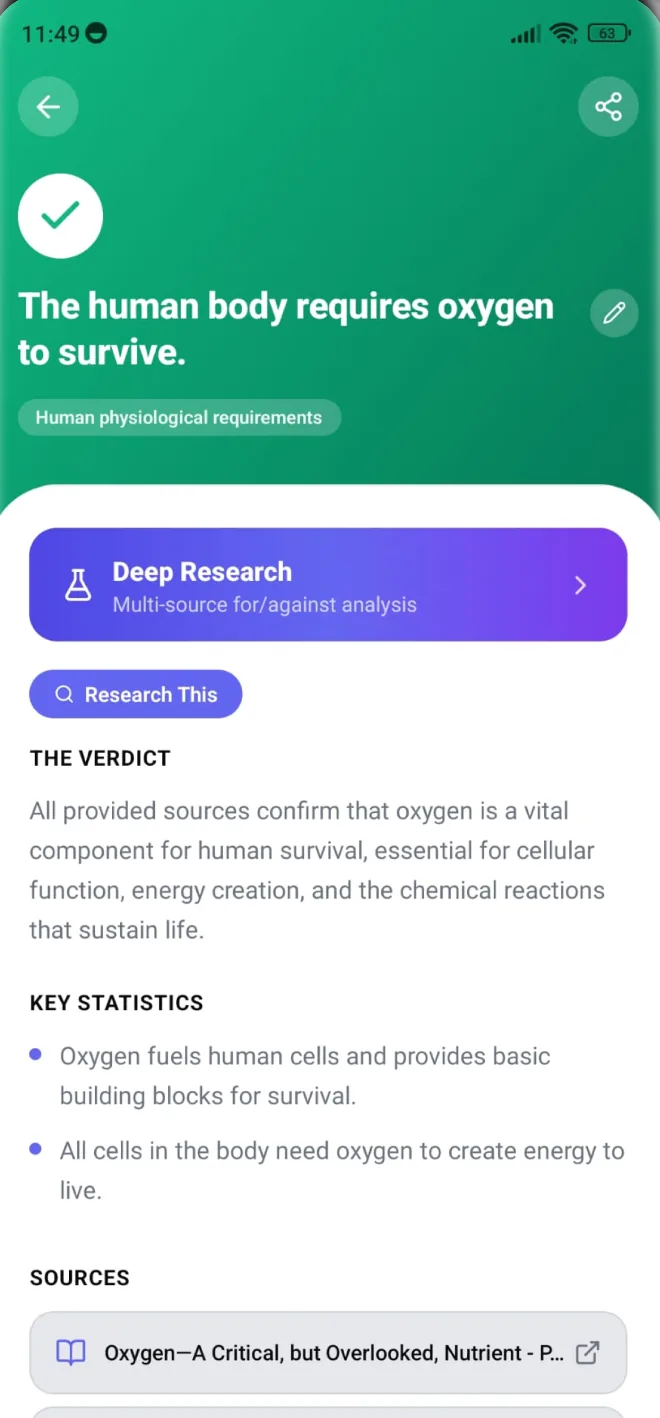
Read the verdict, the reason and the sources
Each claim gets a verdict, two or three sentences on why, and links to the pages the answer rests on, where found.
Account needed · On the web
Link check
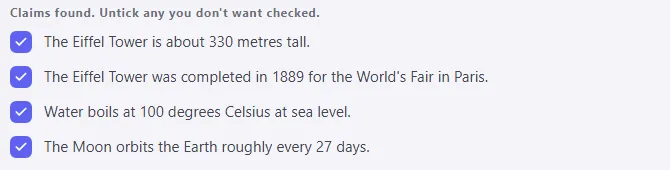
Give it a link to a web page. Actually reads the page, lists the claims it found, and you pick which ones to check.
Don't use links to private pages.
Account needed · In the app and on the web
Screenshot check
Pick a screenshot of a post or an article. Actually reads the text in it and checks each claim.
It checks what the text says, not whether the image was edited.
Check a screenshot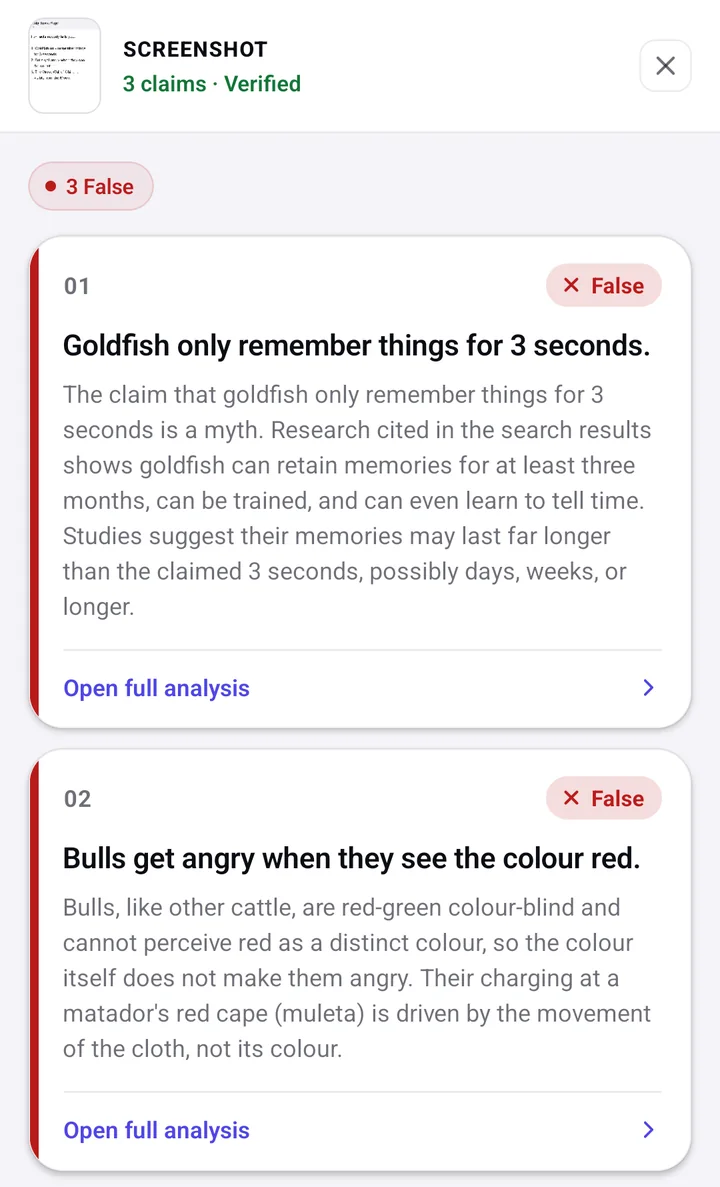
Live
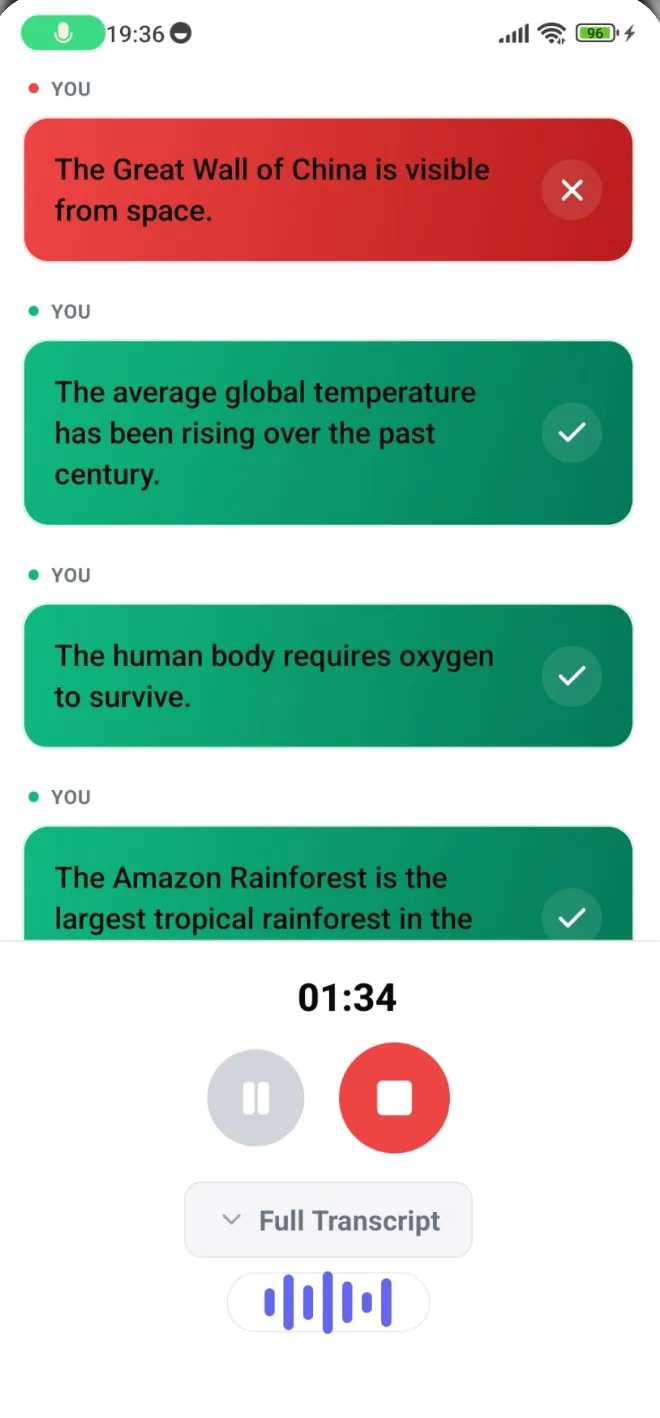
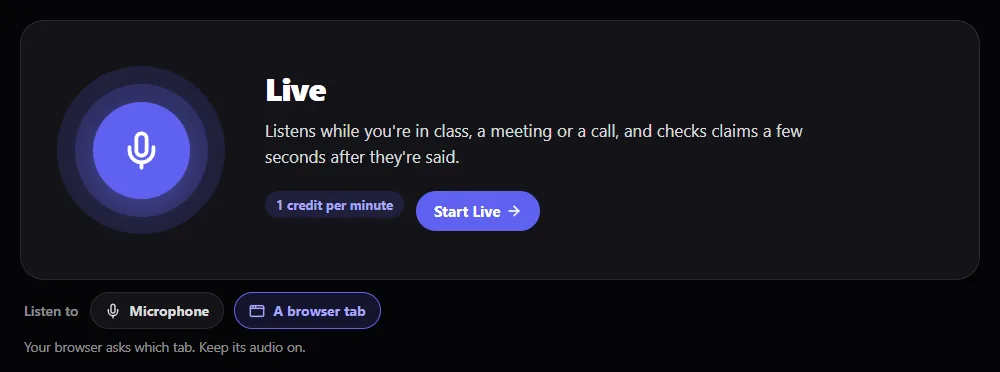
Live listens to a conversation, a debate, a podcast or a video and checks claims as they come up.
- On your phone, through the microphone.
- On the web, through the microphone or another browser tab (Chrome or Edge).
- Needs an account. Sign-up gives 60 free minutes, valid for 14 days.
In the app, Record does it afterwards: record now, get the verdicts at the end.
Account needed · In the app and on the web
Upload audio or video
Checks the claims in a recording or video.
Pick an audio or video file up to 100 MB. It uses 1 minute per started minute of the recording, with at least 1 minute.
Upload a fileWhat the five verdicts mean
The free check on the web gives the four claim verdicts. Answered comes up in Live, when someone asks a question.
- True
- What the search found supports the claim.
- False
- What the search found says the claim is wrong.
- Misleading
- Part true and part false, or true but missing context that changes what it means.
- Not verifiable
- There's nothing solid to check it against: no usable sources, an opinion, or a claim about a private person.
- Answered
- A question, not a claim. In Live, it gets a balanced answer that doesn't take a side, instead of a verdict.
Honest limits
- It is an AI. It can misread a claim, lean on a weak source or get the verdict wrong. Checks you run are not reviewed by a person.
- Sources are "where found": links from a web search, not a hand-picked list. Open them before you quote them.
- Very recent events may have few sources yet, so expect more Not verifiable answers.
- It checks what is said, not whether a photo or a video is real, edited or made by AI.
- It doesn't rule on private people's lives. A claim about someone with no public profile comes back Not verifiable.
- The free check takes typed or pasted text. Screenshot checks, link checks, Research and Live need an account: sign-up gives 60 free minutes to use within 14 days.
Check it yourself: guides
Free steps anyone can follow, with or without Actually.
- How to fact-check a podcastFind the exact words, trace the source the host cites, look for existing fact-checks.
- How to tell if a screenshot is fakeFind the original post, search the exact words, run a reverse image search, then check the claim.
- How to fact-check what ChatGPT told youSplit the answer into claims, open every source, make sure each reference exists.
More from Actually
Get Actually
On your phone or on the web. Live, screenshot checks and the party games are in the app.
New accounts get 60 free minutes to use within 14 days · iPhone & Android